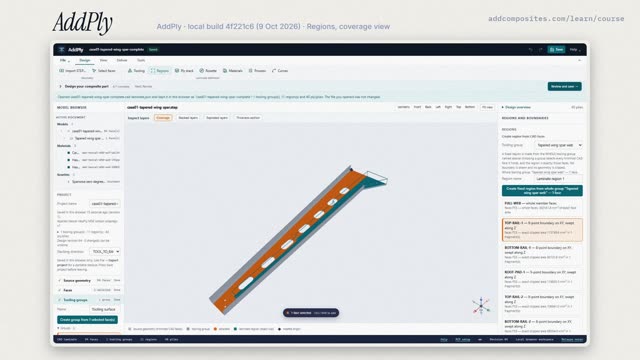

CAD and tooling faces
Plies are laid on the mould, so the design starts from the mould faces in the CAD: AddPly imports the STEP (the spar arrives as 54 faces) and you pick the faces that touch the part and name them as a tooling group; it does not guess.
Predict · at 0:53 in the video
Does AddPly guess which faces are the tooling faces?
No. You pick them. Here, face F53, the spar's web.
This course is our own. These books go deeper.
- Basic Mechanics of Laminated Composite Plates, A. T. Nettles, NASA Reference Publication 1351, 1994
- Mechanics of Composite Materials, R. M. Jones, Taylor & Francis, 2nd ed., 1999
- Engineering Mechanics of Composite Materials, I. M. Daniel & O. Ishai, Oxford University Press, 2nd ed., 2006
- Design and Analysis of Composite Structures, C. Kassapoglou, Wiley, 2nd ed., 2013
- Composite Materials Handbook (CMH-17), Volume 3, Rev. G, CMH-17, SAE International, 2012
The course designs in AddPly, our browser app for laminate design: regions, ply stacks with live stacking-rule checks, thickness, mass and the ply book. It does not do strength, failure or draping; where a lesson covers those, the simulation is our own.
Simulations in this lesson are our own. Ply data come from the datasheet or textbook named on screen; where a number rests on an assumption, the video says so.